


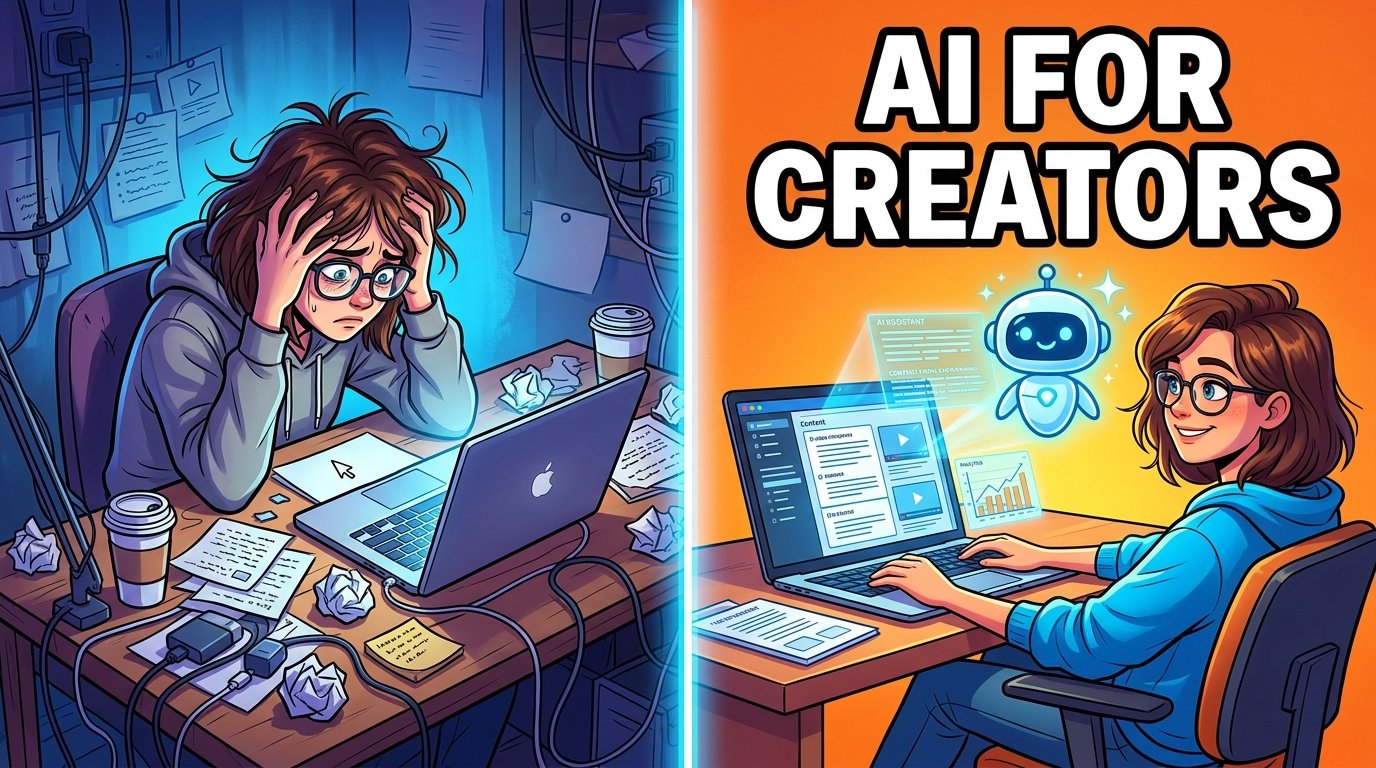
AI for Content Creators – A freelance writer in Manchester used to dedicate four hours to crafting a single 1,500-word blog post: an hour for research, two hours for drafting, and an hour for editing. Meanwhile, a creator in Austin would spend an entire Sunday sifting through a week’s worth of YouTube footage to create something presentable. In Toronto, a small business owner would pay a designer $200 for a set of social graphics that would be quickly overlooked.
If you ask any of them how their week looks now, their responses have evolved. This change isn’t due to a decrease in work, but rather because a significant portion of it is now supported, drafted, or expedited by AI.
This is the true narrative behind “AI for content creators” — it’s not just about a single miraculous tool, but rather a subtle reallocation of time. The research that once took an hour now takes just ten minutes. The rough cut that used to consume an entire day can now be reviewed in twenty minutes. The blank page that previously led to an hour of procrastination now begins with a draft to respond to.
This guide is designed for creators who wish to grasp this transformation: understanding what AI excels at, where it still has limitations, which tools are beneficial to learn, and how to integrate AI into a workflow without sacrificing the unique voice and judgment that make your content engaging. You’ll leave with a practical framework rather than just a list of applications.
Why AI Matters for Content Creators Right Now
AI is crucial for content creators today because it alleviates the tedious tasks — such as research, drafting, editing, and formatting — that previously limited individual productivity and led to burnout.
To elaborate, there are three key points to consider.

First, audience expectations have multiplied: audience expectations have significantly increased. A decade ago, having a blog was sufficient for a blogger. Nowadays, the same concept often needs to be presented as a blog post, a short video, a carousel, a newsletter excerpt, and various platform-specific captions. Manually producing all of this content each week is unrealistic for a single person, which is where AI comes into play.
Second, the tools have crossed a usability threshold: the usability of tools has improved dramatically. Earlier AI writing and image generation tools required extensive revisions to be effective. The latest generation of large language models and generative media tools can produce first drafts that are nearly final, making editing the norm rather than starting from scratch for many creators.
Third, competition has intensified: competition in the content creation space has grown fiercer. More individuals are creating content than ever before, and standing out now relies more on the consistency and quality of ideas rather than just the volume of output. AI enables creators to focus their time on the aspects of their work (like strategy, voice, and judgment) that truly set them apart.
However, this doesn’t imply that AI is perfect or that its use guarantees success. It indicates that the economics of content creation have evolved, and creators who recognize where AI can genuinely assist — and where it falls short — hold a significant advantage over those who overlook it or rely on it without critical thought.
How Content Creation Worked Before AI
Content creation has undergone significant changes with the advent of AI, and it’s important to clarify what those changes entail, as the phrase “AI changed everything” can be overly broad.

Research and Ideation
In the past, before AI writing tools became widely available, conducting research involved manually sifting through search results, competitor content, forums, and social media to gauge audience interests. Content calendars were often based on intuition and previous performance, making it a slow and iterative process.
Writing and Editing
The writing process was predominantly manual. While templates and style guides provided some assistance, every sentence had to be typed, reorganized, and proofread by hand. This posed a significant challenge for non-native English speakers aiming at US or UK audiences.
Design and Video
Creating thumbnails, graphics, and video edits required either genuine design talent or the financial means to hire skilled professionals. Although editing software was available, every cut, caption, and transition had to be applied manually, frame by frame.
Distribution
Transforming a single piece of content into multiple formats for various platforms was — and still can be — one of the most labor-intensive aspects of the job. Many creators opted to skip this step, resulting in missed opportunities for wider reach.
The unifying theme across all these areas is that time was the limiting factor, rather than a lack of ideas or effort. This is precisely where AI has begun to make a difference.
15 Ways AI Is Changing Content Creation
Navigating the world of content creation today feels a bit like having a superpower, but it still requires a human touch. Here is a realistic look at how AI is changing the game for creators right now—including what it actually solves, the tools to use, and where you still need to step in.

1. Idea Generation
We’ve all stared at a blank screen wondering what to create next. AI acts like a 24/7 brainstorming partner, turning a vague concept into a dozen unique angles in seconds by analyzing common audience pain points and competing content.
- Best Tools: Try ChatGPT for open-ended conversational brainstorming, or look into Storyflow if you want an AI that can read your entire workspace canvas to suggest highly contextual ideas.
- The Catch: The ideas are only as good as the context you provide. If your prompts are generic, the suggestions will be too.
2. Keyword Research
Manual SEO research used to take hours of digging through spreadsheets. AI-assisted search tools speed up the process by immediately flagging search volumes, user questions, and content gaps. Even better, they help you optimize for modern AI search engines that pull from structured data.
- Best Tools: Use Ahrefs for classic, heavy-duty keyword metrics, or explore Perplexity to see exactly how AI engines summarize topics and cite sources.
- The Catch: Data gives you direction, but it doesn’t replace intent. You still need to evaluate whether a keyword aligns with what your audience actually cares about.
3. Script Writing
For video and podcast creators, staring at a blank page is the ultimate momentum killer. AI can take your rough outline or bullet points and turn them into a fully structured script complete with a hook, body paragraphs, and a clear call to action.
- Best Tools: Give Jasper a shot for high-converting marketing and social scripts, or use Squibler if you are working on a more structured, scene-by-scene narrative project.
- The Catch: AI hooks can sound a bit cheesy. Most successful creators heavily rewrite the intro and outro to ensure their personal voice and energy shine through.
4. Blog Writing
Writing a 2,000-word article from scratch is exhausting. AI streamlines this by generating a comprehensive first draft based on your outline, saving you from the agony of the blank page.
- Best Tools: Lean on Claude for incredibly nuanced, long-form writing that sounds natural, or use Writesonic if you need SEO-optimized articles generated quickly.
- The Catch: Never publish a raw AI draft. Think of it as a rough block of marble—you still need to fact-check the data, inject your own unique stories, and polish the phrasing.
5. On-Page SEO
Once your article is written, you still have the tedious task of optimizing it. AI tools can analyze your draft in real-time to suggest perfect header structures, write meta descriptions, and find internal linking opportunities across your existing website.
- Best Tools: Check out Surfer SEO for real-time optimization scores as you write, or use Semrush for all-in-one on-page auditing and tracking.
- The Catch: Don’t break your writing just to please an algorithm. If an AI optimization suggestion makes a sentence hard to read, prioritize your human audience every time.
6. Thumbnail and Graphic Design
A great video or article can flop completely if the packaging is bad. AI design assistants allow you to rapidly experiment with multiple visual layouts, fonts, and text placements in the time it used to take to build just one thumbnail.
- Best Tools: Tap into Canva for its incredibly intuitive Magic Studio design suite, or try Adobe Express for professional, template-driven social graphics.
- The Catch: AI can handle the layout, but it doesn’t know what makes a human click. You still need an eye for composition and visual psychology to pick the winning design.
7. Image Generation
Finding the perfect stock photo can feel impossible, and hiring a designer for every small graphic gets expensive. Generative AI allows you to type out exactly what you visualize and receive custom illustrations tailored to your brand’s style.
- Best Tools: Use Midjourney for jaw-droppingly artistic and detailed imagery, or try DALL-E 3 (built into ChatGPT) for simpler graphics that follow exact text prompts incredibly well.
- The Catch: AI still occasionally struggles with specific details, complex text inside images, or hyper-realistic human hands. Expect to run a few variations to get it right.
8. Video Editing
The actual storytelling part of video editing is fun; the mechanical cutting is tedious. AI tools can now scrub through your raw footage to instantly delete awkward silences, remove filler words like “um,” and automatically generate highly accurate captions.
- Best Tools: Look at Descript to edit your video simply by editing the text transcript, or use Runway for advanced AI effects and automated video generations.
- The Catch: Pacing dictates emotion. An AI can cut out silence, but it takes human judgment to know when a long, dramatic pause is actually necessary to make a moment land.
9. Voice Generation
Whether you are turning a blog post into an audiobook, voicing an animated video, or translating content into another language, text-to-speech tools have become incredibly lifelike. They let you scale audio production without spending hours behind a microphone.
- Best Tools: Use ElevenLabs for the absolute gold standard in expressive, scarily human voice cloning, or try Murf AI for a highly intuitive, studio-like dashboard perfect for corporate presentations.
- The Catch: Synthetic voices can occasionally sound flat during highly emotional or high-energy scripts. They work beautifully for narration, but less so for intense drama.
10. Translation and Localization
Breaking into global markets used to require an entire translation budget. AI translation has evolved past robotic word-swapping; it now captures local idioms, translates context, and can even clone your voice into dozens of different languages automatically.
- Best Tools: Check out DeepL for incredibly precise text translations, or try HeyGen to seamlessly translate a video of you speaking into another language—complete with adjusted lip-syncing.
- The Catch: Cultural nuances are tricky. Before launching a major international campaign, it’s always wise to have a native speaker review the AI’s localized work.
11. Repurposing Long-Form Content
The “publish and forget” model is dead. If you make a 30-minute podcast or video, AI can analyze the footage, find the most high-engagement hooks, and automatically slice them into short-form clips optimized for TikTok or YouTube Shorts.
- Best Tools: Give Opus Clip a try to automatically chop long videos into viral shorts with auto-captions, or check out Munch for AI data-driven content extraction.
- The Catch: AI chooses clips based on algorithms, not artistry. Sometimes it misses a quiet, profound moment that your core community would actually love.
12. Platform-Specific Captions
A great caption on LinkedIn looks entirely different from a great caption on Instagram or TikTok. Instead of rewriting the same message three different ways, AI can take your core content and instantly adapt the tone and format to match each platform’s culture.
- Best Tools: Use Copy.ai for rapid, high-volume marketing copy variations, or use Rytr for a lightweight, budget-friendly caption generator.
- The Catch: AI has a habit of overusing hashtags and generic emojis. Make sure to clean up the output so it looks like it was written by a person, not a bot.
13. Email Marketing
Writing weekly newsletters can feel like a chore, especially when you are trying to dream up clickable subject lines. AI can help you outline newsletters, draft product promotional sequences, and generate dozens of subject line variations to split-test.
- Best Tools: Explore HubSpot for built-in, data-driven AI email assistants, or try Rasa.io to send highly personalized, smart-curated newsletters to your subscribers.
- The Catch: Email is an incredibly intimate channel. If your subscribers feel like they are reading a generic corporate template, they will hit unsubscribe. Keep your personal sign-offs intact.
14. Analytics and Reporting
Staring at a dashboard full of Google Analytics graphs can make anyone’s eyes glaze over. Modern AI can look at your raw performance data and explain your growth trends, top-performing channels, and dips in traffic in simple, plain English.
- Best Tools: Leverage Airtable with its integrated AI capabilities to sort and summarize your database performance, or check out MonkeyLearn for advanced sentiment and text data analysis.
- The Catch: AI can tell you what happened, but it doesn’t always know why. It can spot a traffic spike, but it won’t know it happened because a popular influencer randomly shouted you out on Reddit.
15. Workflow Automation
As a creator, you wear a dozen different hats. Workflow automation platforms act as the connective tissue between your tools, automatically moving a finished script to your video editor, scheduling a post, or filing assets away without you lifting a finger.
The Catch: Don’t build automations just for the sake of it. If a workflow is overly complex, a tiny API update can break the entire chain, leaving you to spend hours troubleshooting. Keep your systems simple!
Best Tools: Rely on Zapier to safely connect thousands of apps together using AI logic commands, or try Make for building highly visual, complex automated workflows.
Key takeaway: AI’s biggest impact isn’t in any single task — it’s in how much of the mechanical workload across all fifteen areas can now run in parallel, instead of sequentially, one exhausting task at a time.
Rashed
Finding Your Perfect AI Toolkit
Let’s be honest: there is no single “perfect” AI tool that works for every single creator. The best setup for you depends entirely on what you create, your current budget, and how much time you want to spend learning a new dashboard.
Instead of downloading everything at once, think of this as a menu. Most creators only need a core stack to start: one solid tool for writing, one for visuals, and one for video or audio depending on their format.

Here is how the top players stack up today:
| Tool | Category | What It’s Best For | Where It Shines | The Big Catch |
| ChatGPT | Writing / Research | General brainstorming and turning rough notes into drafts. | Incredibly fast, highly versatile, and connects to a massive ecosystem of apps. | Needs constant fact-checking; can sound generic if you don’t edit it. |
| Claude AI | Writing / Editing | Writing long-form articles and deeply nuanced editing. | Excellent at matching your natural tone and voice across long text. | Has fewer direct software integrations than its main competitors. |
| Google Gemini | Research / Productivity | Creators deep in the Google ecosystem looking to streamline tasks. | Smooth, native integration with Google Docs, Sheets, and real-time Search. | You get the most value out of it only if you already use Google Workspace. |
| Perplexity AI | Deep Research | Fast, hyper-accurate research without the search engine clutter. | Instantly provides clear answers backed by direct clickable source links. | It is built for finding facts, not for sitting down to draft long articles. |
| Canva | Visual Design | Quick YouTube thumbnails, presentations, and social graphics. | Extremely beginner-friendly, template-driven, and intuitive for non-designers. | It isn’t a replacement for heavy-duty, pixel-perfect editing software. |
| Midjourney | Image Generation | Creating highly stylized, original, and artistic brand visuals. | Offers industry-leading visual quality and precise stylistic control. | Has a steeper learning curve for prompts compared to simpler generators. |
| Runway | Video Generation | Cutting-edge generative video work and advanced visual effects. | Incredible generative AI features that feel like moving magic. | Best suited for creators who already have some video editing experience. |
| ElevenLabs | Voice Generation | Realistic video voiceovers, audiobooks, and audio dubbing. | Scarily natural, highly expressive voice cloning across multiple languages. | Using it responsibly requires clear consent and a commitment to transparency. |
| CapCut AI | Video Editing | Fast-paced, social-first short-form editing (TikToks/Reels). | Incredibly mobile-friendly, features a generous free tier, and lets you edit fast. | Lacks the deep timeline control required for complex or long-form videos. |
| Notion AI | Organization | Keeping scripts, content calendars, and personal notes organized. | Seamlessly blends your everyday workspace with writing assistance. | It is an organization assistant, not a standalone content generator. |
A quick tip before you dive in: Avoid shiny object syndrome! Pick just one or two tools that address your biggest bottleneck right now—whether that’s editing fatigue or staring at a blank page—and master those before adding anything else to your plate.
Building Your AI-Powered Content Factory
Let’s be real: a list of shiny tools isn’t a workflow. To truly scale your content without losing your soul—or your quality control—you need a reliable framework. Think of AI as an incredibly fast junior assistant: it does the heavy lifting, but you maintain creative control.

Here is a practical, step-by-step roadmap to integrating AI into your creative process:
Step 1: Research and Outline (Human-Led, AI-Assisted)
Don’t let AI decide what you write about. Start by identifying the topic and the unique angle you want to take. Once you have your core thesis, use an AI research or keyword tool to spot content gaps, surface common questions, and help map out a logical structure.
- The Secret: Keep this step firmly in your hands. You choose the destination; the AI just maps out the fastest routes.
Step 2: Draft with AI, Rewrite like a Human
Pass your structured outline to the AI to generate a rough first draft or video script. Once you have the raw material, immediately jump in and completely rewrite the introduction and the conclusion.
- The Secret: Your intro and outro are the two most critical points for building a genuine audience connection. They need your unique energy, voice, and perspective—things an algorithm simply can’t replicate.
Step 3: The Hard Fact-Check
AI models are notorious for sounding incredibly confident even when they are entirely wrong. Never take an AI-generated statistic, quote, or historical claim at face value.
- The Secret: Treat every fact the AI gives you as a rumor until you can verify it yourself against a primary, trusted source. Your reputation is worth the extra five minutes of digging.
Step 4: Design and Polish Your Visuals
Use AI image or video tools to quickly generate your initial thumbnail concepts, B-roll ideas, or blog graphics. Once the first pass is generated, apply your own creative eye to tweak the color palette, tighten the video pacing, and ensure everything matches your established brand style.
- The Secret: AI tends to lean toward generic styles. Your job is to inject the specific visual cues that make your content instantly recognizable to your community.
Step 5: Repurpose with Intention
Don’t just hit publish and forget about it. Plan your distribution strategy before you even start creating. Once your main piece is finished, use AI to instantly break it down into different formats—like turning a newsletter into a LinkedIn post or a long video into a few punchy TikTok drafts.
- The Secret: Instead of starting from scratch three different times, you are simply editing existing material for different platforms, saving you hours of mental switching costs.
Step 6: The Final Creative Review
Before anything goes live, give it one final top-to-bottom read. Approach the content exactly as you would if you were editing a draft submitted by a junior collaborator.
- The Secret: The work might be 80% of the way there, but that final 20% of human polish is what turns a generic piece of text into an unforgettable piece of content.
📋 The “Ready to Publish” Checklist
Run through this quick sanity check right before you hit the publish button:
- [ ] Fact Check: Are all facts, numbers, and statistics verified against an official primary source?
- [ ] Voice Check: Have the introduction and conclusion been completely rewritten in your own natural voice?
- [ ] Visual Check: Do your graphics and thumbnails look unique to your brand, avoiding that overly generic “AI look”?
- [ ] Transparency Check: Have you included a disclosure where relevant if an AI voice clone or likeness was used?
- [ ] SEO & Structure Check: Do your headings and formatting make the piece incredibly easy to read for humans and easy to scan for modern search engines?
The Real Talk: Common AI Pitfalls to Avoid

Look, it’s incredibly tempting to push a button and let AI handle the heavy lifting. But if you want to build a real, loyal audience, you have to watch out for these traps that trip up most creators:
- Treating the first draft like a final draft. We’ve all seen it: content that feels technically correct but completely hollow. If you just copy, paste, and hit publish, your readers will notice the lack of soul. Skipping the editing pass is the fastest way to make your content completely blend into the background noise.
- Blindly trusting the machine. AI tools are brilliant, but they are also absolute masters at lying with a straight face. They will state a completely fabricated statistic or a broken legal rule with total confidence. If you’re talking about money, law, health, or deep data, verify every single point yourself. Your reputation isn’t worth a lazy mistake.
- Putting your community on autopilot. Streamlining your scheduling or drafting social hooks is smart business. But the moment you let an AI bot handle your comments, DMs, and community replies, you lose. People can spot an automated “Thanks for sharing!” from a mile away, and it instantly kills the trust you spent months building.
- Getting caught in the “Shiny Object” cycle. A new AI tool launches practically every hour, promising to change your life. If you spend all your time moving your workspace, testing new software, and rewriting your system every three weeks, you aren’t actually creating. Pick two or three solid tools, learn them inside out, and block out the rest of the noise.
Separating the Myths from the Reality
There is a massive amount of hype and fear-mongering out there right now. Let’s look at the actual facts of how this technology plays out in the real world:
| The Myth | The Ground Truth |
| “Google will automatically ban or downrank anything written with AI.” | Google doesn’t care who held the pen—it cares if the piece is actually helpful. Modern search engines look for depth, original value, and genuine utility. A bad, rushed human post will lose to a thoroughly researched, well-structured, human-edited AI post every single time. |
| “I can finally fire my editor (or stop self-editing).” | AI is a great sparring partner, but a terrible referee. It can fix your grammar, rewrite a clunky sentence, or suggest a smoother layout. However, it completely lacks the human empathy and context required to know if a story actually hits home emotionally. |
| “Using AI means I’m no longer an original creator.” | Originality is born in your perspective, not your typing speed. Your unique life experiences, your contrarian opinions, and your strategic choices dictate the content. The AI is simply a tool that helps you get those internal ideas onto a screen faster. |
| “These powerful tools are only built for big agencies with huge budgets.” | The AI boom is actually a massive win for solo creators. Almost every game-changing tool on the market right now offers a highly functional free tier or a cheap monthly plan. You don’t need an agency budget anymore to have agency-level production tools. |
The Big Question: Is AI Coming for Your Job?
Let’s skip the corporate fluff and give it to you straight: AI is not going to magically replace creators who actually have something unique to say. But if your entire content strategy relies on pumping out generic, surface-level information that anyone could find with a quick search? Yeah, that model is already on life support.

Here is why the distinction matters: AI is terrifyingly good at being average. It can spin up a perfectly competent, middle-of-the-road article or script in seconds. But it is completely useless when it comes to things that actually make people care. It has no lived experience. It can’t go out and do original investigative reporting. It doesn’t understand the kind of hyper-specific, inside-joke humor that builds tight communities. And most importantly, it lacks the human judgment to know the difference between a piece of content that looks shiny on the surface and one that actually hits someone right in the chest.
If you are a creator who survives on high-volume, low-effort output—think generic listicles or basic summaries with no unique spin—you are highly vulnerable right now. On the flip side, if you have a deeply recognizable voice, true subject-matter expertise, and a genuine, direct relationship with your audience, you are sitting on a goldmine that an algorithm simply cannot replicate.
At the end of the day, the battle isn’t actually “Humans vs. Robots.” The real divide is between creators who embrace AI to kill off their boring, repetitive production tasks so they can spend more time doing the deep creative work only they can do, versus creators who dig their heels in and refuse to adapt at all.
The first group is currently scaling their impact and producing great work faster than ever. The second group is simply getting left behind. The choice of which group you want to belong to is entirely up to you.
What’s Next? The Future of AI and Creation

Looking ahead at the next few years, it’s clear we are moving past the initial hype phase and into something much more interesting. The landscape is shifting fast, and if you want to stay ahead of the curve, here are the major trends you need to watch:
- Search engines are growing up. The days of ranking a basic, thin article on page one of Google just by stuffing it with keywords are officially over. AI-powered search engines—like Perplexity, ChatGPT Search, and Google’s AI Overviews—are getting incredibly good at synthesizing the basics themselves. If an AI can answer a user’s question in three bullet points on the search page, no one is clicking your link. To survive, your content has to offer deep insights, original data, or personal perspectives that the AI can’t just scrape and summarize.
- The “all-in-one” tool revolution. Right now, most creators are jumping between five different apps to write a script, generate an image, edit a video, and clone a voice. Over the next couple of years, these separate workflows are going to smash together into single, massive platforms. This is going to completely drop the technical barrier to entry. You won’t need to be a tech wizard to produce slick, multi-format content—you’ll just need a good strategy.
- Authenticity is your only real moat. When the internet is flooded with billions of perfectly polished, AI-generated blog posts and videos, “average” content becomes a commodity. Because of this, audiences are already craving the real deal. Creators who show their faces, share their messy behind-the-scenes processes, and back up their claims with verifiable, real-world experience are going to become incredibly valuable. Being human is about to become your biggest competitive advantage.
- The rules of the game are tightening. The Wild West days of AI are winding down. We are going to see much stricter regulations and cultural norms around disclosure. If you are using an AI voice clone, a synthetic video avatar, or deepfake tech, you are going to be expected—and likely required by platforms—to label it clearly. Transparency isn’t just going to be good ethics; it’s going to be essential for keeping your audience’s trust.
The Bottom Line
None of these shifts mean that AI is going to wipe out content creators. What it does mean is that the baseline for what counts as “good” content just got raised. AI has set a much higher floor for production quality, but it has also created a massively high ceiling for creators who know how to pair lightning-fast AI efficiency with genuine, unmistakable human expertise.
The future doesn’t belong to the robots—it belongs to the creators who know how to command them.
The Too-Long; Didn’t Read Summary
If you take away nothing else from this, keep these five realities in mind as you build your creative business:
- AI is for the grunt work, not the soul. The absolute best use of AI isn’t replacing your brain; it’s killing off the boring, mechanical tasks that drain your energy. Use it to smash through rough outlines, basic formatting, initial editing passes, and the headache of platform repurposing.
- It’s a great assistant, but a terrible boss. These tools are incredibly talented at giving you a quick first draft, but they completely lack taste, empathy, and creative restraint. An AI can give you words on a page, but a human still has to make it worth reading.
- Depth beats hype every single time. Don’t fall into the trap of downloading every single app that trends on your feed. A simple, tight toolkit of two or three tools that you actually know inside and out will make you ten times more productive than a messy workspace full of software you barely understand.
- Fact-checking is your shield. AI will lie to you with absolute, unblinking confidence. Treating its output as gospel is a massive liability. If your content mentions data, quotes, medical advice, or anything involving money and law, check it twice before your audience does.
- Your perspective is your superpower. The creators who are currently safe from being replaced aren’t the ones trying to type the fastest prompts. They are the ones who show up with an unmistakable voice, an opinionated point of view, and real-world expertise that an algorithm simply cannot fake.
Frequently Asked Questions
How is AI changing content creation? AI is reducing the time creators spend on repetitive tasks like research, drafting, editing, and formatting, allowing more output without a proportional increase in hours worked. It hasn’t removed the need for human judgment, voice, or fact-checking.
Can AI replace content creators? AI can replace demand for generic, low-differentiation content, but it’s unlikely to replace creators who bring original perspective, expertise, or a recognizable voice to their work.
Is AI good for content creators? For most creators, yes — when used to handle mechanical tasks like drafting and editing rather than as a full substitute for human judgment and fact-checking.
What are the best AI tools for creators in 2026? Popular choices include ChatGPT and Claude for writing, Canva AI and Midjourney for visuals, Runway and CapCut AI for video, and ElevenLabs for voice generation. The right stack depends on your content format.
How do YouTubers use AI? YouTubers commonly use AI for script drafting, automated editing (removing filler words and dead air), thumbnail generation, caption creation, and repurposing long videos into short-form clips.
Can AI write blog posts? Yes — AI can generate a full first draft from an outline or brief, but published posts still need human editing for accuracy, voice, and original examples.
How does AI save creators time? By compressing research, first drafts, editing, and repurposing into minutes instead of hours, freeing time for strategy, original ideas, and audience engagement.
How can beginners start using AI as a creator? Start with one tool per bottleneck — a writing assistant, a design tool, and an editing tool — rather than trying to adopt an entire stack at once. Build the habit of editing AI output before expanding your toolkit.
Will AI replace writers? AI is more likely to replace generic, commodity writing than writers with expertise, original reporting, or a distinct voice. Writers who integrate AI into their workflow tend to become more productive, not obsolete.
What is the future of content creation? Expect deeper integration of writing, image, video, and voice AI into single platforms, a rising quality bar as AI search tools summarize thin content directly, and growing value placed on creator authenticity and disclosed AI use.
Is AI-generated content bad for SEO? Not inherently. Search engines evaluate usefulness, depth, and originality rather than whether AI assisted in drafting. Thin, unedited AI content tends to underperform — well-edited, fact-checked content performs the same regardless of how the draft was produced.
Do I need to disclose AI use in my content? Disclosure expectations are evolving and vary by platform and region. As a general practice, disclosing AI-generated voice, video, or likeness is good practice for transparency, even where not strictly required.
What’s the difference between ChatGPT and Claude for content creation? Both are capable general-purpose AI writing tools; many creators find Claude particularly strong for longer-form content requiring consistent tone, while ChatGPT offers a broader plugin and integration ecosystem. Testing both against your specific workflow is the most reliable way to decide.
How much time can AI actually save a content creator? This varies significantly by workflow and content type, and no source can promise a guaranteed number of hours saved. Many creators report meaningful reductions in time spent on research, editing, and repurposing specifically — the tasks AI handles best.
Are free AI tools good enough for content creation? Many free tiers are genuinely useful for beginners, particularly for writing assistance and basic design. Paid tiers typically unlock higher output limits, faster processing, and more advanced features, which becomes worthwhile as content volume grows.
Conclusion

The innovators who will lead in 2026 are not those who shun AI, nor are they the ones who rely on it entirely for their creative processes. Instead, they are the individuals who understand the balance — utilizing AI to handle the repetitive and mechanical aspects of their work, while reserving their time and energy for the unique ideas, expertise, and personal touch that no machine can replicate.
If you’re just starting out, avoid trying to change your entire workflow all at once. Focus on the most significant bottleneck in your process — whether it’s research, drafting, editing, or design — and introduce one AI tool to help with that specific area. Cultivate the habit of refining what it produces for you. From there, you can gradually expand your use of AI.
For more AI resources, check out GPTInfos, which offers detailed comparisons like Claude vs. ChatGPT and guides to the top AI writing and video editing tools, helping you to develop a scalable workflow.
References and Further Reading
MIT Technology Review: How AI is Transforming Education
Claude AI 3.7 Sonnet Review: The AI Assistant That’s Actually Worth the Hype in 2025
Is ChatGPT Overhyped in 2025? Top 7 Alternative AI Tools That Outperform It
When AI Gets It Wrong: Apple’s Tool Mixes Up Racist and Trump
Grok 3: The Next Big Thing in AI-Powered Understanding
Top 10 Passive Income Ideas for 2025: Make Money While You Sleep
Top 10 AI Humanizer Tools in 2025 for a More Human Experience
What is GPT and How Does it Work?
ChatGPT vs DeepSeek Comparison
Harvard Graduate School of Education: The Future of AI in Education
Journal of Educational Psychology: Personalized Learning in Digital Age

